Your own academy.
Cloudgramam LMS is a learning platform you license and run on your own domain and server. Teach, test, certify and sell courses, and keep every learner record yourself.
Licensed per domain, not per learner · English, Tamil and Hindi · Razorpay, Stripe and PayPal
Own it instead of renting it.
Most course businesses choose between renting a hosted platform and building on open-source software. Cloudgramam LMS sits between the two: your software, on your server, set up by the people who wrote it.
Hosted course platforms
- A monthly fee that grows with your plan
- Your school lives on their platform and rules
- Learner data sits on their servers
- Features locked to higher plans
Open-source LMS
- Free to download
- You install, host and update it yourself
- Features come from plugins of mixed quality
- Setup usually needs a developer
Cloudgramam LMS
- Licensed per domain, not per learner
- Runs on your own domain and server
- Your database, your learner records
- Installed and set up by the team that built it
Courses built your way
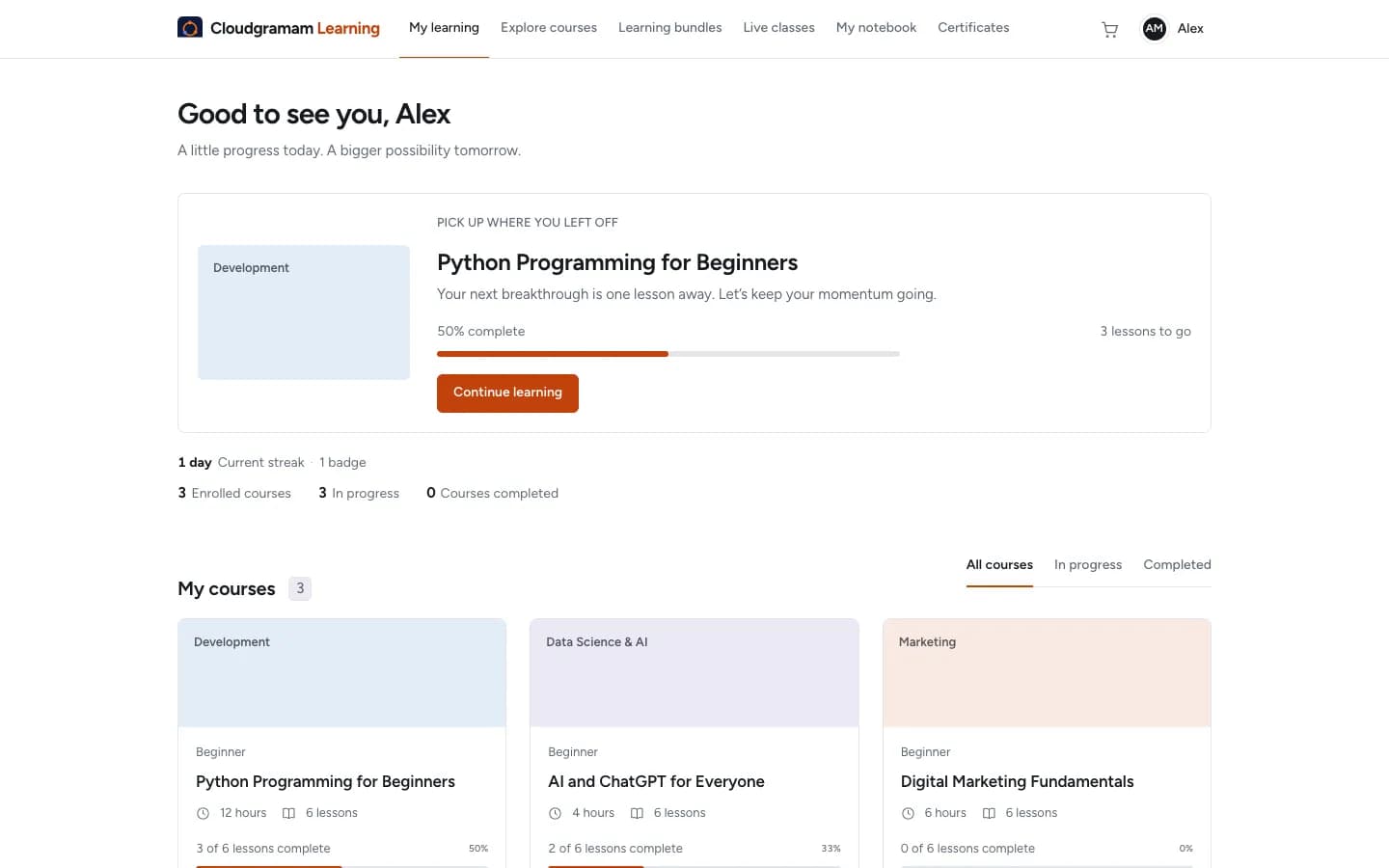
Six lesson types, structured into modules, released when you choose.
- Article, video, PDF, quiz, assignment and SCORM lessons, reordered by drag and drop.
- SCORM 1.2 and 2004, xAPI (Tin Can) and cmi5 packages from your authoring tool.
- Prerequisites, release dates and sequential lessons, so learners move in the order you set.
- Private notes, bookmarks, a resource library per course, and a discussion on every lesson.
- Course reviews and ratings from enrolled learners, with moderation.
Quizzes that hold up
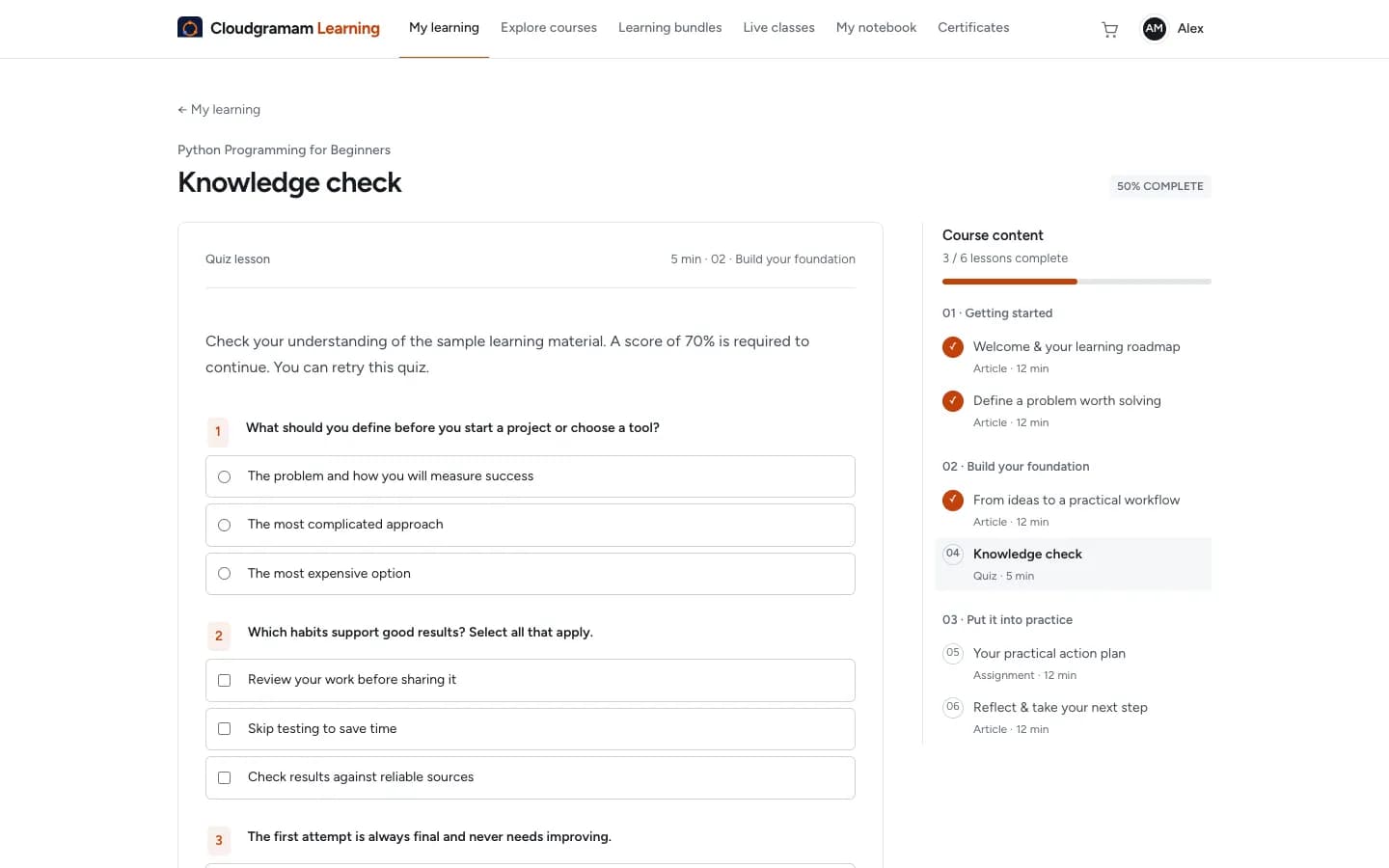
Assessments are marked on the server, so timers and attempt limits cannot be bypassed.
- Single answer, multiple select, true or false, and short typed answers.
- Question banks that draw a set number of questions per attempt, shuffled questions and answers, time limits and attempt limits.
- Explanations shown for missed questions, and a visual quiz builder for instructors.
- Assignments uploaded privately and graded by an administrator or the course instructor.
- Branded PDF certificates with a credential ID and QR code that opens a public verification page.
Video served only to enrolled learners
Each video is converted into several qualities, from 1080p down to 360p, and streamed with encryption.
- Adaptive HLS streaming encrypted with AES-128, with no file address to share.
- Captions per lesson in any number of languages.
- Videos stay on your server. No separate video hosting bill.
Live classes and batches
Schedule classes on Zoom, Google Meet or Teams and run cohorts on a fixed timetable.
- Batches group learners, and a class can be limited to one batch with an optional capacity.
- Times are entered in one time zone and shown to each learner in their own.
- A join link opens 15 minutes before the start, with a calendar file and a recording link afterwards.
- Reminder emails a day and an hour before each class.
Learners who finish
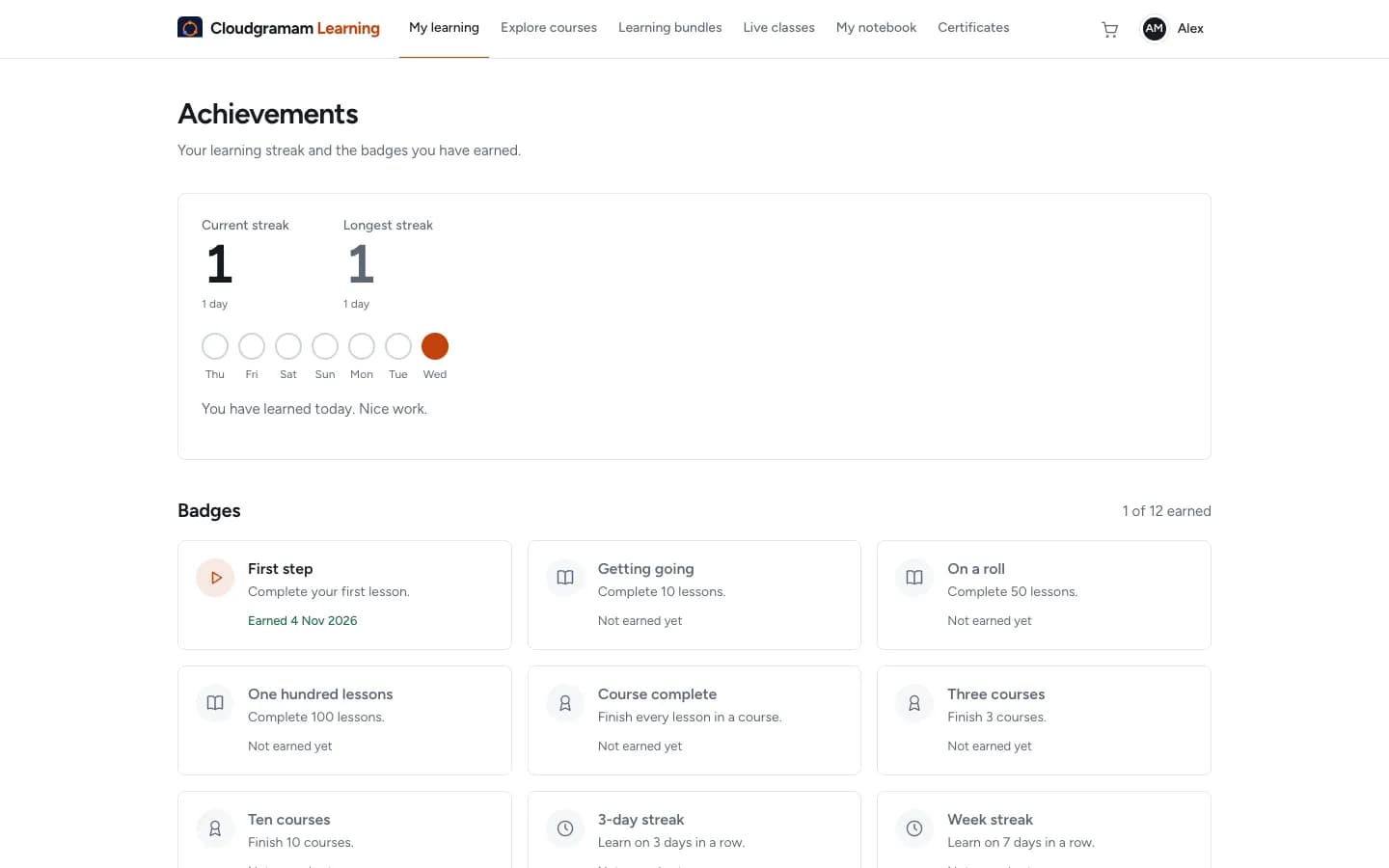
Streaks, badges, deadlines and reminders bring learners back without your team chasing them.
- Daily learning streaks and 12 badges, private to each learner, with no leaderboards.
- Finish-by dates per course, for a whole team or one person, shown on the learner dashboard.
- Email reminders a week before, the day before and when work is overdue.
- WhatsApp reminders for deadlines and live classes, sent through Meta's WhatsApp Business Cloud API to learners who opted in.
Sell courses directly
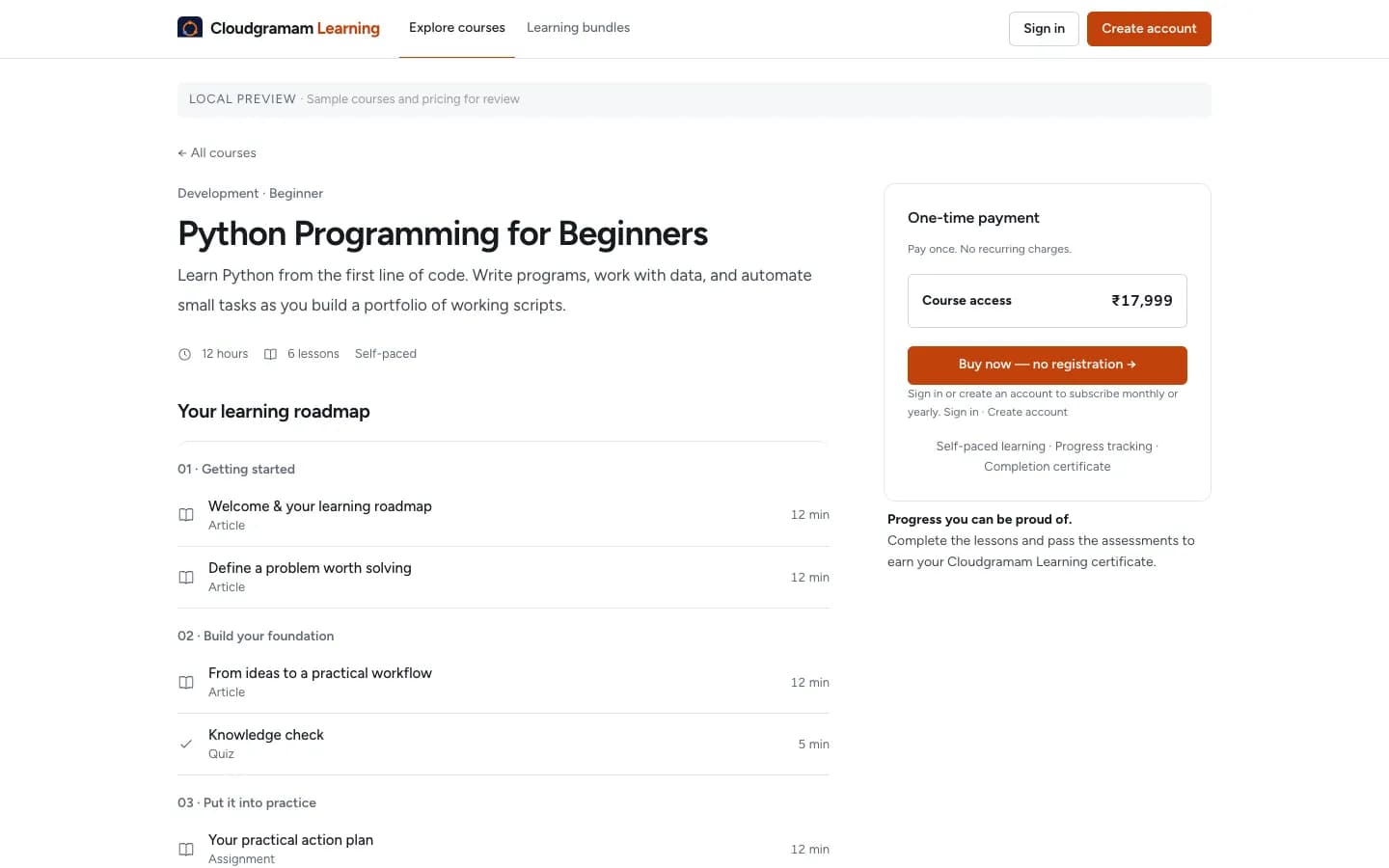
Payments go into your own payment account. You choose the provider.
- One-time prices, monthly and yearly subscriptions, and free trials of up to 90 days.
- Course bundles, a cart, guest checkout and discount codes with usage limits.
- Razorpay, Stripe and PayPal checkout.
- GST tax invoices for Indian sales, with a numbered invoice for every payment and a GST register export.
Training for companies
Sell seats to companies, or train your own staff, with managers who can see progress.
- Organisations with a seat count and a set of courses.
- Team managers who add people one by one or by CSV, set deadlines and see who is overdue.
- Progress reports with CSV export, and CSV import of learners and enrolments with a dry run.
- Single sign-on with OpenID Connect (Google, Microsoft Entra, Okta, Keycloak) or SAML 2.0.
English, Tamil and Hindi
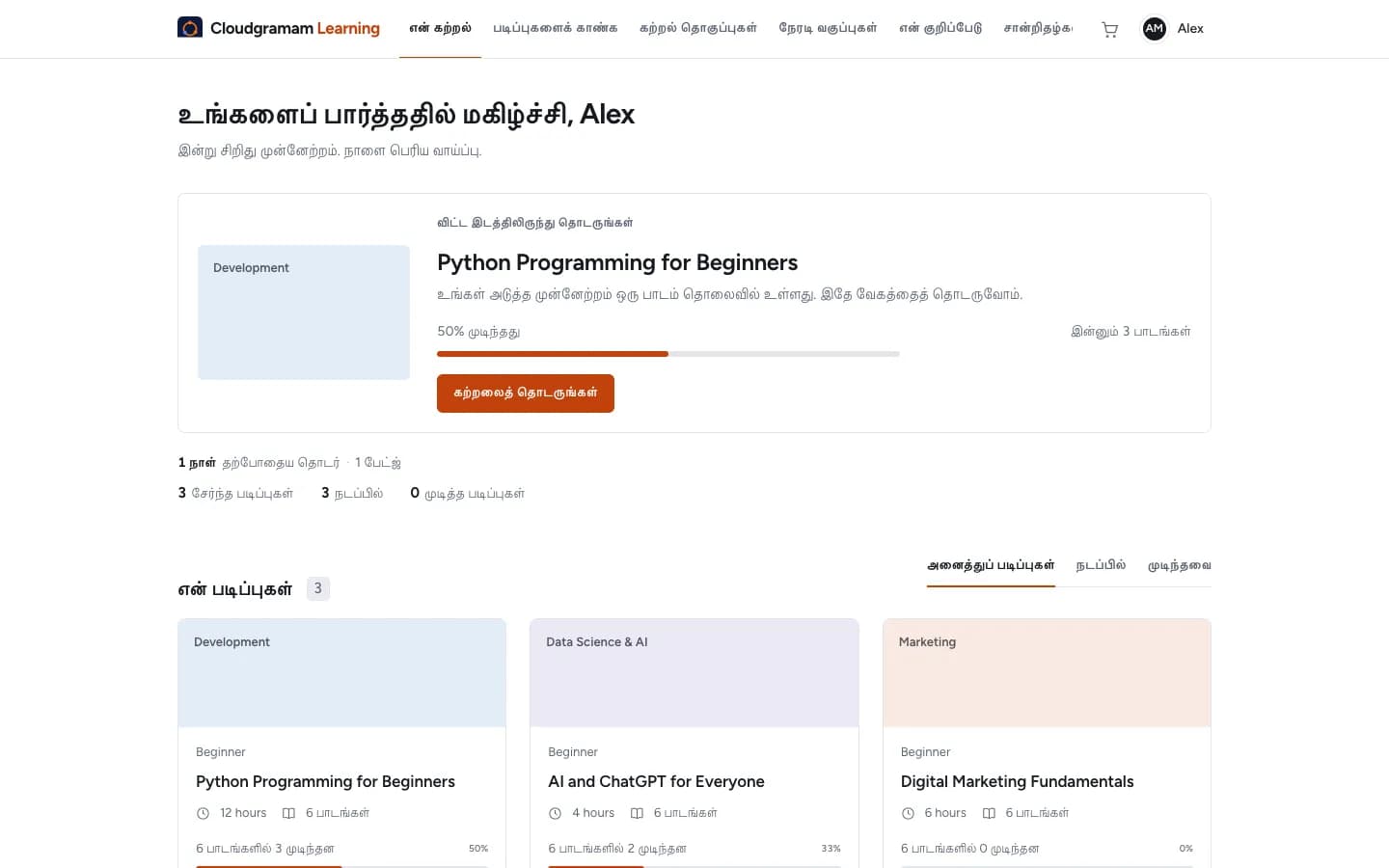
Learners choose the interface language, and courses can be translated lesson by lesson.
- Learner screens in English, Tamil and Hindi, chosen per account or from the browser.
- Courses, lessons, quizzes, bundles and categories translated side by side, with progress per language.
- Anything not yet translated falls back to the original, so a course can be translated a little at a time.
- Another language is added with one translation file.
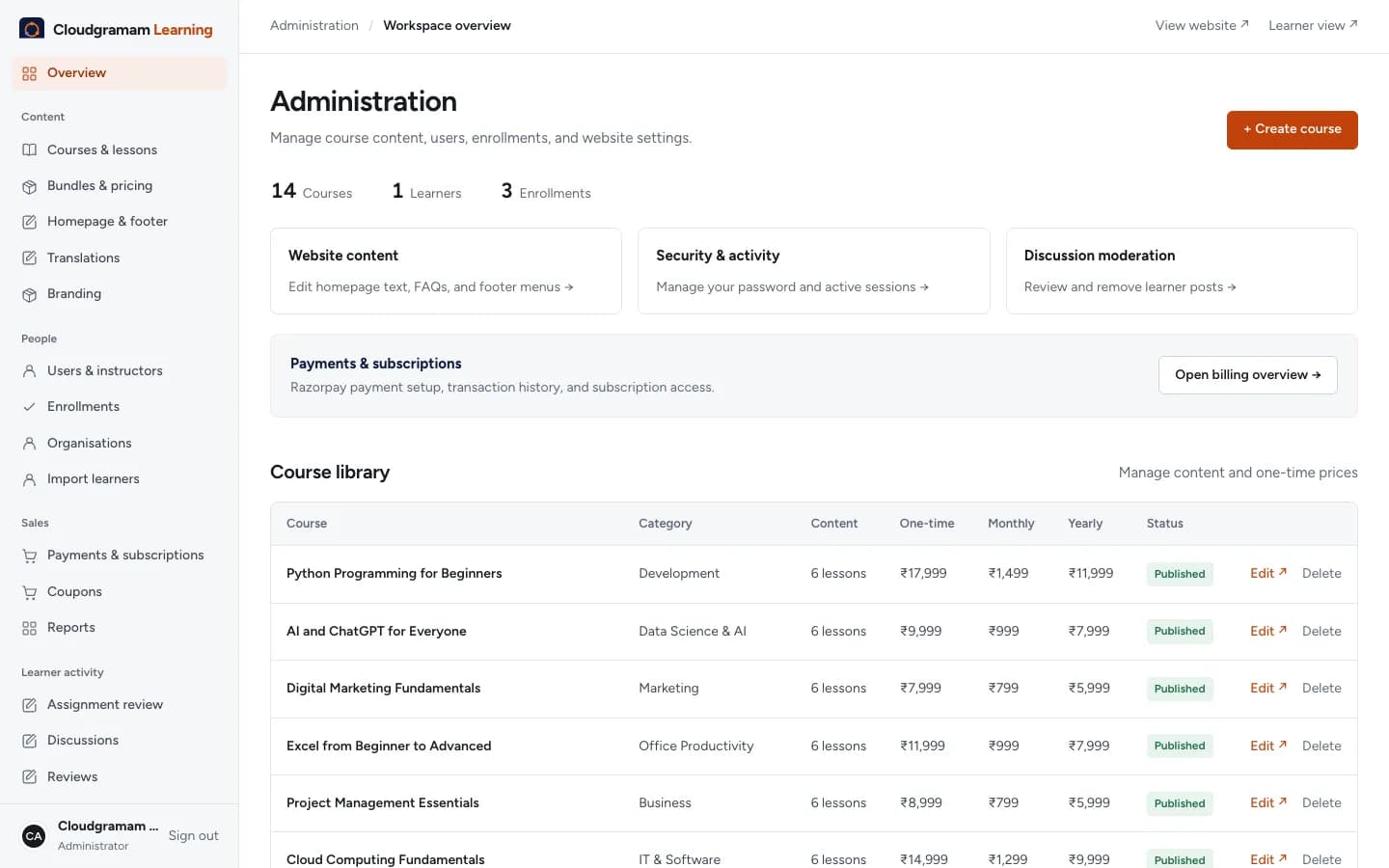
Run the academy from one place
Content, people, sales and reports sit in one administration area.
- Reports on revenue, course completion and where learners stop, engagement, and subscriptions (MRR, ARR, trial conversion and churn), each with CSV export.
- Your name, logo, colours, home page picture, support email and website.
- Instructor accounts that manage their own courses, grading and discussions.
- Email notifications for enrolment, certificates, reviewed assignments and study reminders.
Connected to your other tools
Send learning events to your CRM, HR system, Slack or Teams.
- REST API with scoped keys for courses, learners and enrolments.
- Signed webhooks when a learner registers, enrols, completes a lesson or course, or pays, with retries.
- Slack and Microsoft Teams messages for the same events.
- Zapier, Make and n8n can subscribe through the API.
Security built in
The basics a training business is asked about by corporate buyers are already there.
- Two-step sign-in for administrators with an authenticator app, optionally required.
- Hashed passwords, CSRF protection, rate limiting, security headers and private file storage.
- Optional virus scanning of uploads with ClamAV.
- Learners can export their data and delete their account.
Who it is for
- Training and certification companiesSelling courses, cohorts and certificates under their own brand.
- Coaching institutes and academiesRunning batches with live classes, tests and fees collected online.
- Companies training their staffOnboarding and compliance courses with deadlines, managers and single sign-on.
- Educators leaving hosted platformsMoving to software they own, with no fee that rises as they grow.
From demo to launch
Demo
We show you the LMS with sample courses, as a learner and as an administrator, and answer your questions.
Licence
You get a licence for your domain, for example learn.yourcompany.com.
Install
We install it on your server with one command, or on a hosting panel that runs Node.js, and connect your email and payments.
Set up
Your branding, categories, first courses and administrators are set up with you.
Launch
You open the academy to learners. We stay on hand for changes and updates.
What it does not do yet
Better to know now than after you buy.
- One organisation per installation. A second brand or domain needs its own licence.
- Checkout charges in Indian rupees today, through Razorpay, Stripe or PayPal.
- No native mobile app. The learner site works on phones in the browser.
- Live classes run on Zoom, Meet or Teams. There is no video calling inside the LMS.
- Video is encrypted and only served to enrolled learners, but it is not DRM, so a learner can still screen-record.
- SCORM and cmi5 packages must be single-unit, which is how most authoring tools export.
Questions
How is it priced?
Per licensed domain, not per learner. The licence, installation and setup are quoted together after a demo, based on what you need set up.
Where does it run?
On your own server or hosting account, under your domain. It needs Node.js and MySQL. If you do not have a server, we can help you choose and set one up.
Who owns the learner data?
You do. The database and files are on your server. Learners can export their own data, and you can export reports and records as CSV.
Can we move from another platform?
Learners and enrolments import from CSV with a dry run first. Course content made in an authoring tool imports as SCORM, xAPI or cmi5 packages. Other content is moved with you during setup.
Can companies buy seats for their staff?
Yes. You create an organisation with a seat count and courses, and the company's manager adds people and follows their progress.
Does it work in Tamil and Hindi?
The learner interface is in English, Tamil and Hindi, and each course can be translated. The administration area, emails and certificates stay in English.
Have the integrations been tested with real accounts?
Payments, single sign-on and WhatsApp are built to each provider's specification and tested against simulated responses. During setup we run them with your own accounts in test mode before you go live.
Can I see it before deciding?
Yes. Book a demo and we will walk through it as a learner and as an administrator, with sample courses.
See it with your own courses in mind.
Tell us what you teach, who your learners are and how you sell today. We will show you the LMS as a learner and as an administrator.
Want to talk about other services? Contact us from the homepage.